
How Costing Works
No price in PressCal comes out of a black box. The calculator does exactly what you'd do with pen and paper — count sheets, clicks or plates, ink, cuts — it just does it in seconds and shows you every intermediate number. Behind it all sits one rule: cost + profit = final price, always. Cost comes from your own data (machines, papers, consumables), profit is yours to set — and the price is their sum. Neither ever eats the other.
The five panels
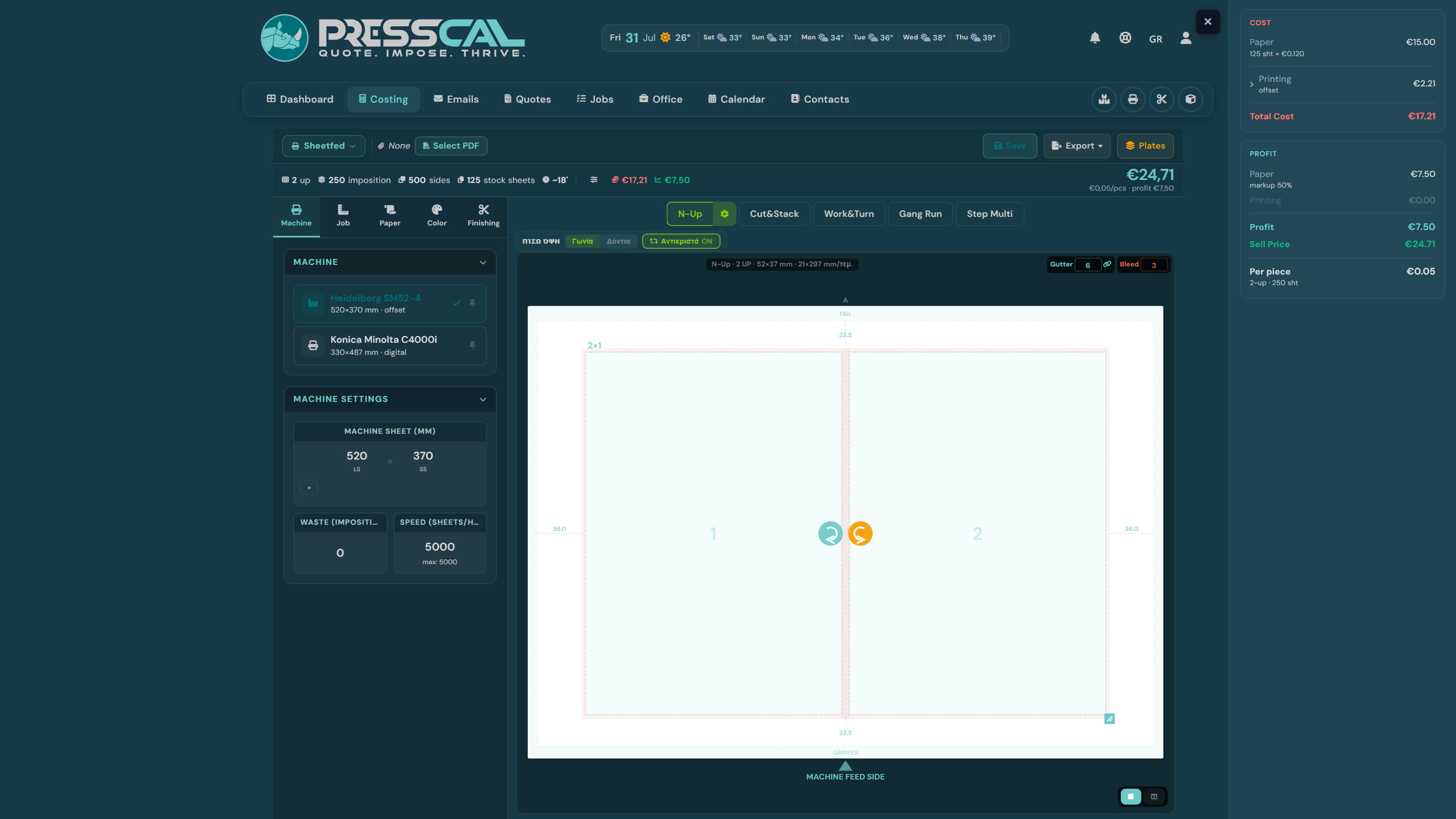
- Job — what you're making: job type (sheet, pad, booklet…), finished size, quantity, sides, bleed, pages.
- Machine — where it prints. This sets the press sheet, the margins and the entire cost model: clicks on digital, plates and hours on offset.
- Paper — which stock from your Inventory, at your own purchase price per sheet.
- Color — CMYK or B&W, ink coverage (TAC) for offset, PMS, varnish.
- Finishing — guillotine, lamination, creasing, folding, binding — whatever you've set up in Postpress.
Every change in any panel reprices the job live — switch machine or paper and watch the difference immediately.
How the cost is built
### 1. Imposition → sheets
The imposition comes first: how many pieces fit on the press sheet (columns × rows, respecting bleed, gutter and the machine's gripper margins). From there: imposition sheets = quantity ÷ pieces per sheet, plus the waste you declared on the machine — the make-ready sheets. On digital that's a handful (~10); on offset it's a serious number (~50) that weighs heavily on short runs.
### 2. Paper
The press sheet is rarely the sheet you buy. The calculator works out how many press sheets cut out of one stock sheet — a 70×100 yields four 35×50, say — and charges stock sheets × purchase price. That's why the breakdown shows two counters: imposition sheets and stock sheets.
### 3. Printing
Digital: sheets × sides = clicks, times the machine's click price. A sheet over the machine's A4/A3 threshold counts as a double click — and you can override that threshold on the machine if your contract draws the line elsewhere. On the Precision model, instead of a click price the consumables are summed one by one: toner, drums, developer, fuser.
Offset: plates (one per color — on work & turn one set prints both sides), setup and run time at your hourly rate, ink times the coverage you set in Color, blanket wear, washes, chemicals.
### 4. Finishing
Each postpress machine charges its own way — the guillotine, for instance, counts cuts, stacks, paper weight and time. One detail explains a lot in the breakdown: the only finishing with a real material cost is lamination (the film). Guillotine, binding, folding, creasing burn no material — their charge is pure profit, and that's how it's shown.
Profit: Global Products
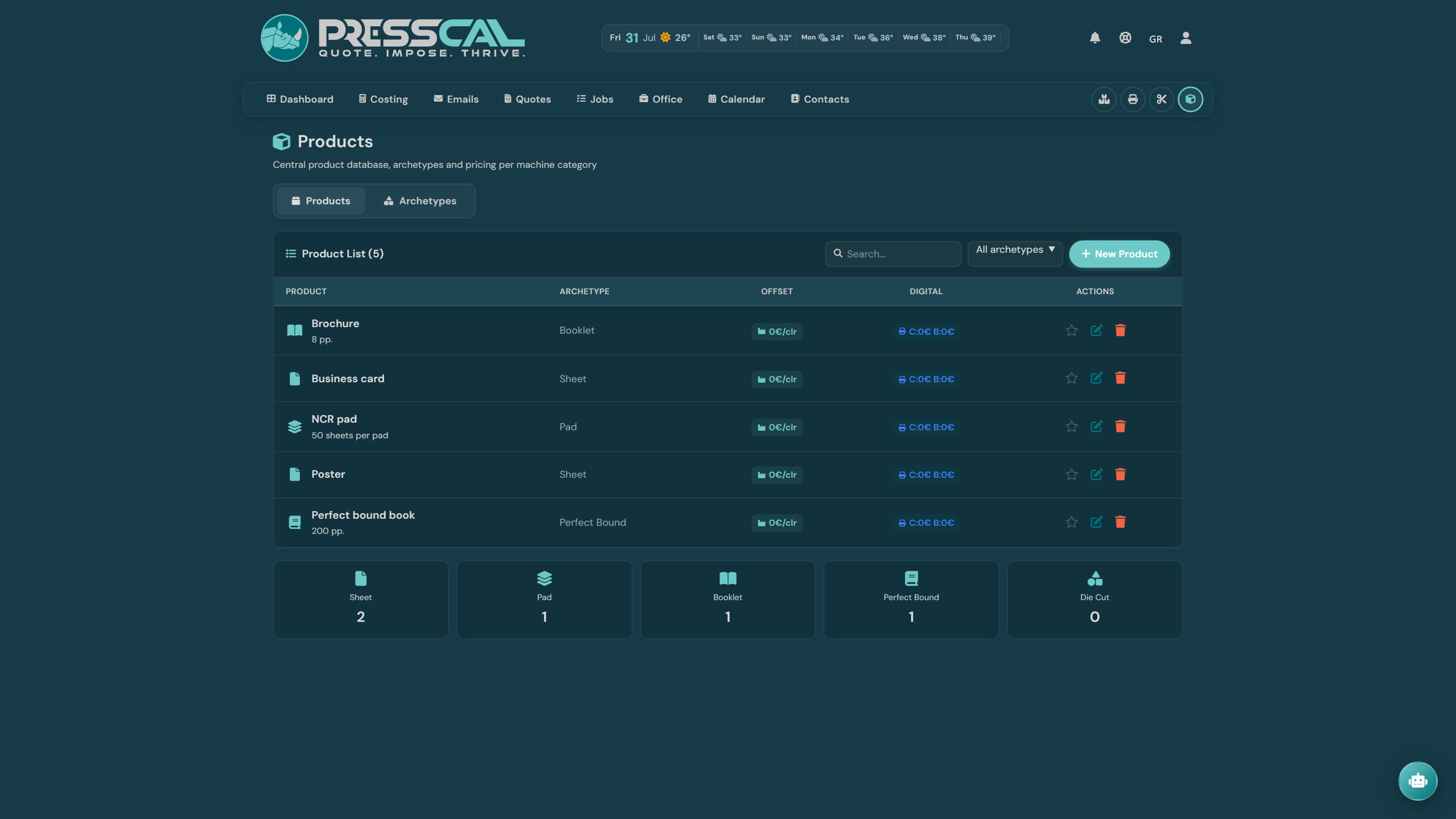
Cost is half the puzzle. Profit you define in Products — pricing profiles that say what your work charges:
- Digital: price per click — Price Color € / Price B/W €. Profit = faces × price; over the A4/A3 threshold, ×2, exactly like the cost.
- Offset: price per color (per plate), with Extra Pantone € and an extra for varnish.
- Optionally: Quantity Discount (stepped as the run grows) and Hourly Profit € (business profit × machine hours).
Here too the rule is absolute: the product's price is your profit, not the final price. The calculator charges cost + profit — even when the profit you set is smaller than the printing cost. Set €0.05/click while a click costs you €0.08 and the customer pays €0.13 per click — you never work for free just because you priced low.
Finishing inside the product: every finishing line is either an informal charge (added to the extras — per piece, per sheet, per face, or fixed) or linked to a specific postpress machine. A linked line replaces that machine's profit — its cost never changes. So you say it once — "on business cards, trimming is €0.05/pc" — and never recompute a guillotine charge again.
With no product selected, profit falls back to your profit profile's markup percentages.
Reading the breakdown
The breakdown on the right has three zones:
- COST — what leaves your pocket: Paper, Printing, Lamination (film), and the cost Total.
- PROFIT — what stays with you, line by line: the printing profit with the product's math spelled out (e.g. "250 faces × €0.10"), the finishing charges, the extras. A line tagged "product override" means the product set that charge, not the postpress machine.
- Price — Cost + Profit, with the per-piece price.
If those three don't match your gut, check the sheet counters too: imposition sheets, waste, stock sheets. Nine times out of ten the surprise hides there.
When a number looks wrong
Don't wrestle the total — the breakdown tells you which line to blame:
- Paper too high? Stock sheets × price. Usual suspects: a wrong price in Inventory, or waste — 50 make-ready sheets on a 100-piece offset job is +50% paper.
- Printing too high on digital? Check the machine's click prices, whether the sheet counts double (A4/A3 threshold), and the sides — duplex means double clicks.
- Printing too high on offset? Plates per color, setup time, coverage (TAC) — a solid background drinks several times the ink of light text.
- Zero or odd profit? Check whether it says Without product — with no product there are no per-click/per-color prices. And if you see "Lamination at cost!", the film has no sell price in Inventory — you're selling film at what you paid for it.
- Price won't move at all? If the item came from a quote with a locked price, the calculator computes the new amount but doesn't apply it — unlock the price on the quote if you want it.
- And the simplest test: try the other machine. Under ~300 pieces digital usually wins, over ~800 offset does — the calculation is free, run both.