
Imposition software
PDF in, imposed PDF out. And it knows what the sheet costs.
Upload the customer’s PDF, lay it out in 7+ modes, download the imposed file — ready for the plate or the RIP, with crop marks and bleed. Full prepress imposition, not a drawing of one. And because the sheets it produces set the price, the costing happens in the same tool.
No card required. All of imposition and costing, from day one.
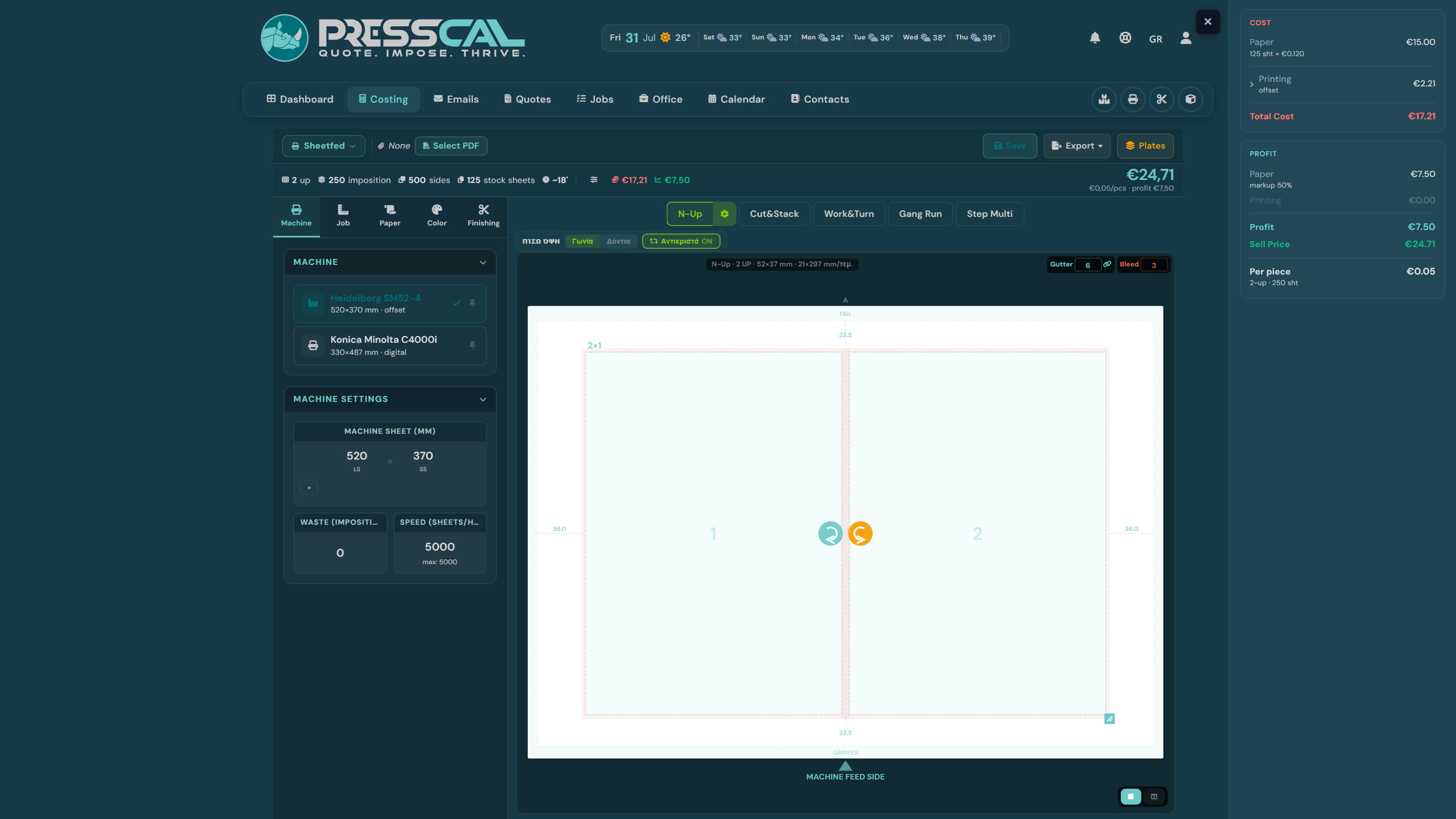
Every mode a print shop actually runs
N-Up
Business cards, flyers, labels — an automatic grid with per-cell bleed and gutter, rotation for better sheet usage.
Booklet
Saddle-stitch with correct page order per signature — 4, 8, 16 pages per sheet, with a preview of every signature.
Perfect Bound
Books with a spine: signatures for offset or flat pages for digital, with a separate cover on its own paper and machine.
Cut & Stack
Numbered sets that come off the guillotine in the right order — with numbering printed onto the imposition itself.
Gang Run
Several jobs on one sheet: a different PDF per position, different quantities, one pass through the press.
Step & Repeat / Step Multi
Labels and mixed sizes — blocks with their own grid and position on the same sheet.
Work & Turn / Work & Tumble
One plate set, the sheet flips — with the back side rotated correctly, automatically.
From the customer’s PDF to the press-ready PDF
- You export an imposed PDF with the customer’s artwork inside it — ready for the plate or the RIP, signature by signature, with crop marks and bleed. It is not a drawing of the imposition; it is the file you print.
- The canvas preview is identical to the exported PDF — same positions, same rotations, same crop marks.
- Crop marks from the file or from PressCal — your choice; internal marks never land on the blade.
- Back-side control: facing, head-to-head or head-to-foot, tête-bêche — in every mode.
- The customer's PDF is read directly: size, pages, bleed — no retyping.
It does the imposition in full. Then it does the rest as well
The imposed PDF comes out of here and goes straight to the plate — you do not need a second prepress tool. The difference from a standalone imposition program is that a standalone one finishes there. The grid you just laid out decides how many sheets you will print — which is the cost, which is the price. Here you change the paper or the quantity and watch sheets, cost and sell price update together on one screen, and the quote goes out from it.
Frequently asked questions
Does it actually export the imposed PDF, or only calculate the layout?
It exports it. You upload the customer’s PDF, its pages are placed into position, and you download a new PDF ready for the plate or the RIP — with crop marks, bleed and the back side turned correctly, as a separate file per signature where that applies. It is not a graphical representation of the imposition printed on a work order; it is the print file. You do not need Preps, Quite Imposing or any other prepress tool on top.
Does the preview match the exported PDF?
Yes — the canvas and the export share the same computation. Positions, rotations, bleed and crop marks are identical.
Can I put several jobs on one sheet?
Yes, with Gang Run mode: a different PDF and quantity per position, with automatic optimisation or manual assignment.
Do I need a separate imposition program if I use PressCal?
No — imposition, costing, quotes and invoicing are one platform. The PDF you export goes straight to the press or the RIP.
Does it work for offset and digital?
Both — with per-machine costing: plates and ink for offset, clicks for digital, using your own numbers.